

Four years ago, I searched for a truly open-source, self-hosted journaling application—a digital space that was completely mine, where my thoughts could live without being locked into a proprietary service. I found nothing.
Today, I’m happy to say that solution exists. This is my handcrafted tool, built from the ground up to be the next-generation solution for safe journaling. It’s more than just an app; it’s a personal home for your memories, ideas, and daily reflections.
This project is built on a simple philosophy: your data should belong to you. It’s free, it’s open source, and it’s designed for those who value privacy, security, and powerful features.
MemoirCapsule operates on a core principle: “your data should belong to you.” It offers free, open-source software for individuals who value privacy, security, and powerful features in their digital journaling experience.
What You’ll Learn
- The philosophy behind MemoirCapsule
- Security features and encryption options
- Core applications: MemoirCapsule and MMM
- Advanced capabilities like Time Travel and Git sync
- How to get started with the suite
Why Self-Hosted?
Unlike cloud-based journaling apps that monetise your data, MemoirCapsule keeps everything local on your own machine. You decide where your data lives, who can access it, and how it’s protected. No subscriptions, no data harvesting, no vendor lock-in.
Key Features
🔒 Data Ownership and Security
MemoirCapsule provides total data ownership through self-hosting capabilities:
- Store entries locally in a transparent, organized file structure
- Military-grade encryption options:
- Argon2 for maximum security
- PBKDF2 for security with recovery options
- Complete control over your personal data
📱 Core Applications
MemoirCapsule - The main application functioning as:
- Secure vault for your journals
- Calendar for date navigation
- Command center for digital diaries
MMM (Magic Memory Mark-2) - The integrated rich text editor:
- Advanced entry creation with images and audio
- Sophisticated text formatting
- Rich multimedia support
🤖 AI-Powered Assistance
- Local Ollama models for analyzing writing
- Grammar checking
- Text analysis and summarization
- All processing happens locally on your machine
⏰ Time Travel System
Unique “Time Travel” undo system:
- Navigate your entire document history
- Visual timeline interface
- Compare versions at different points in time
🔄 Git Synchronization
Seamless Git synchronization:
- Journal across multiple devices
- Works with GitHub, GitLab, or other Git providers
- Automatic backup and version control
Security Options Comparison
| Feature | Argon2 | PBKDF2 |
|---|---|---|
| Security Level | Maximum (State-of-the-art) | High (Industry Standard) |
| Recovery Option | None | Recovery Key & Security Question |
| Performance | Slower, more memory-intensive | Faster |
Important: Argon2 offers the highest level of protection but provides no recovery path—if you forget your password, your data becomes permanently inaccessible. PBKDF2 provides strong security with a safety net, allowing journal recovery through a recovery key and security question.
Setting Up MemoirCapsule
Welcome Screen
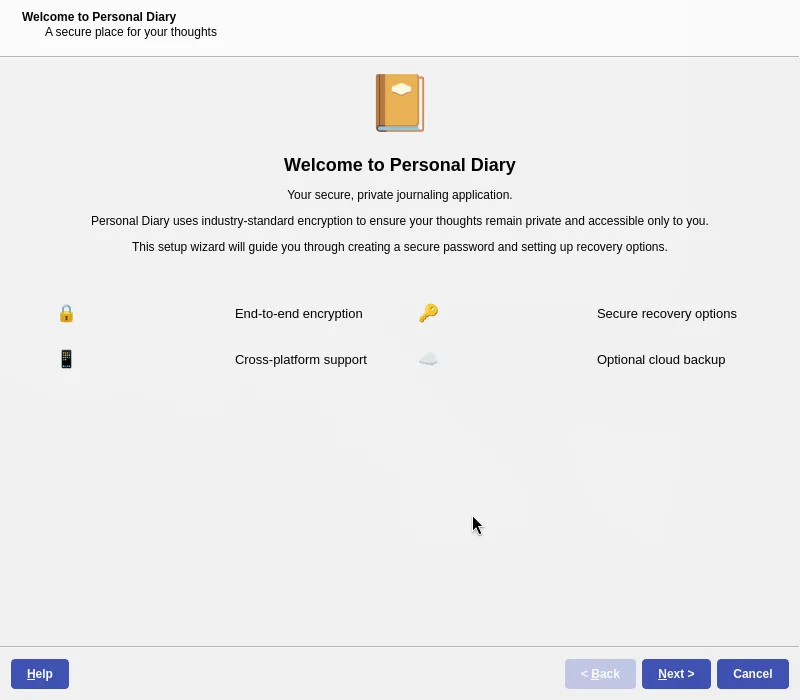
When you first launch MemoirCapsule, you’ll be greeted with a welcome screen that guides you through the initial setup process. This is where you configure your security preferences and create your first journal vault.
Encryption Key Setup
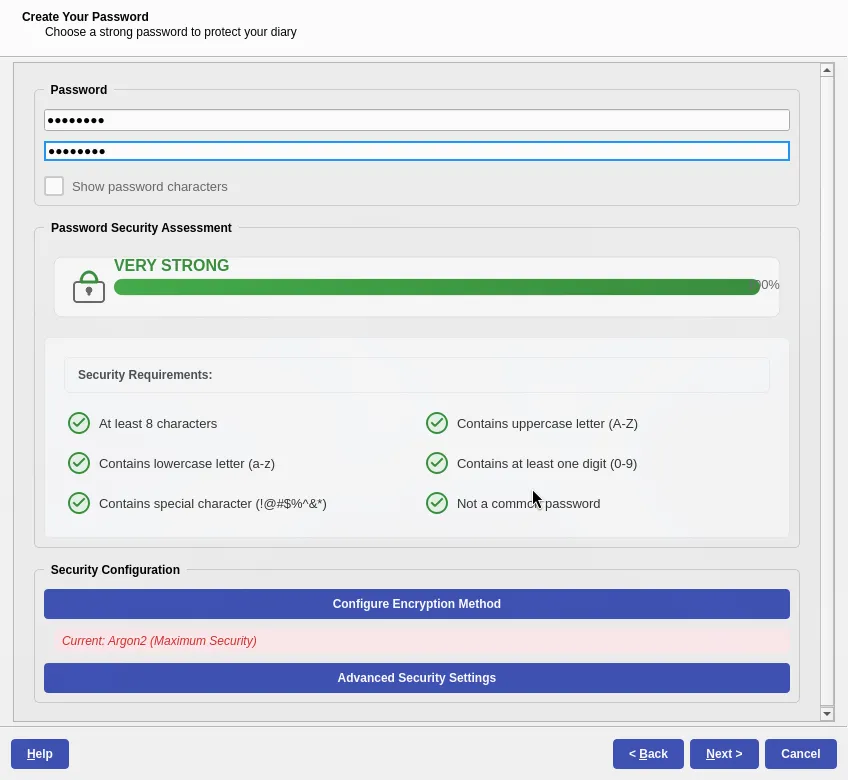
You’ll need to set up your encryption key. Choose between Argon2 for maximum security or PBKDF2 if you want recovery options. This key will protect all your journal entries.
Recovery Options
If you choose PBKDF2, you can set up recovery options:
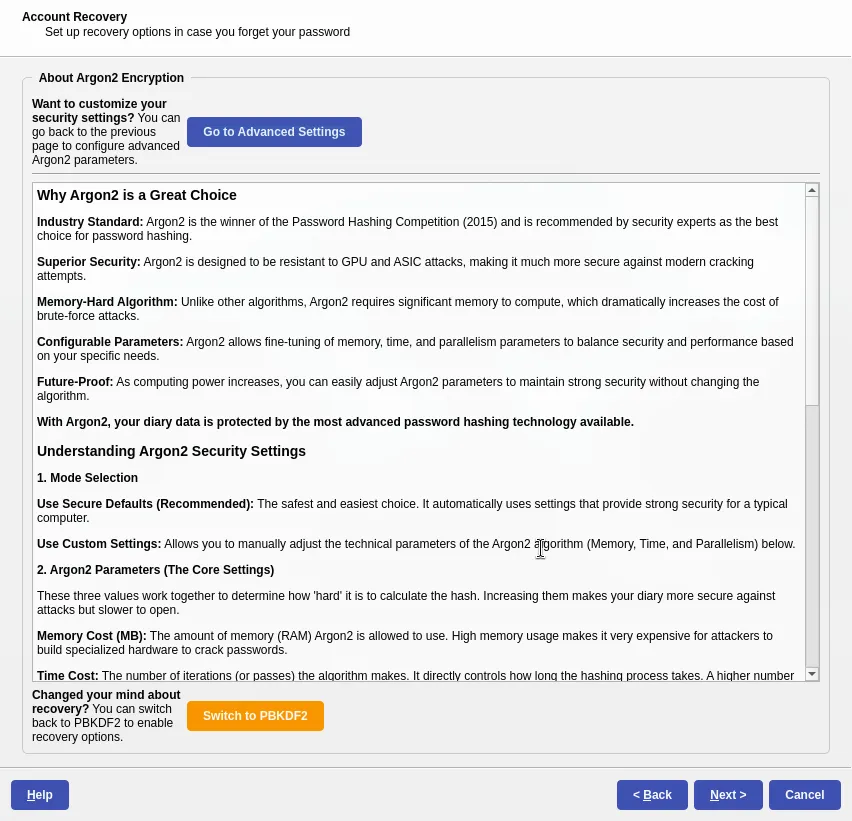
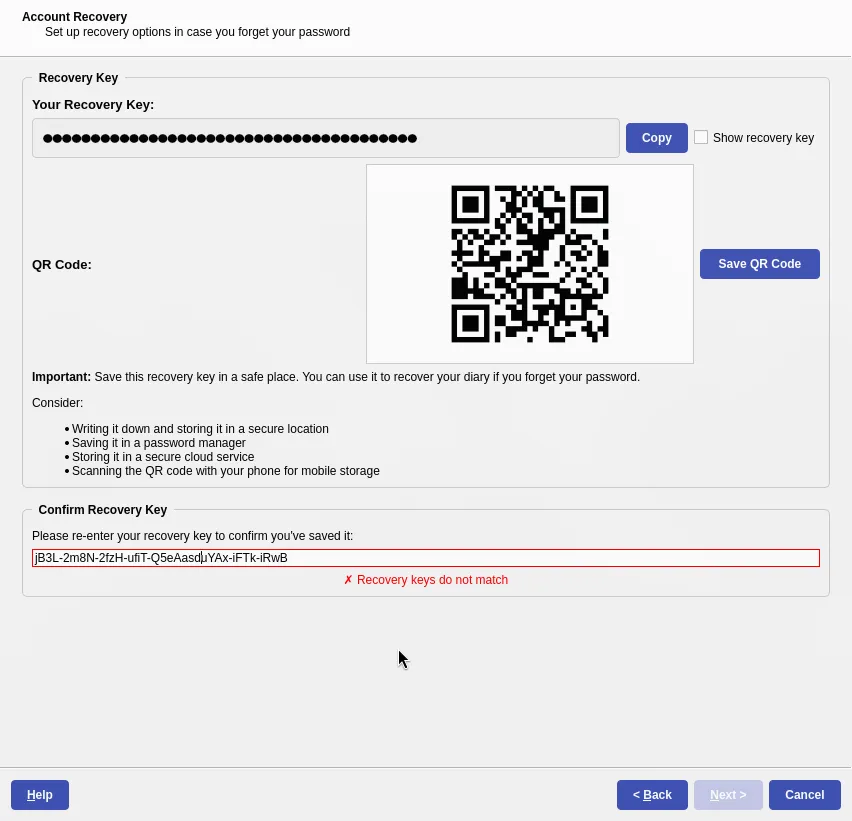
Argon2 provides no recovery—your data is truly yours alone. PBKDF2 allows recovery through a security question and recovery key.
Backup Configuration
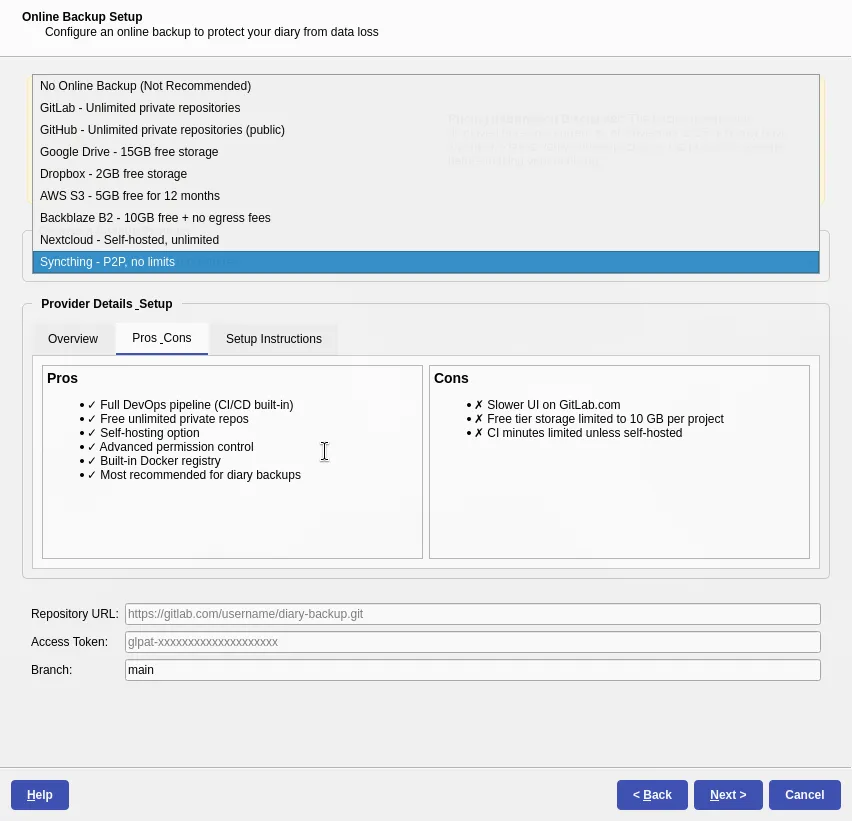
Configure your backup preferences. You can set up cloud backups to GitHub, GitLab, or other providers to keep your journals safe across devices.
Rules and Guidelines
When you first set up MemoirCapsule, you’ll establish your journaling rules and guidelines. This helps you maintain consistency in your journaling practice and get the most out of your entries.
The Main Interface
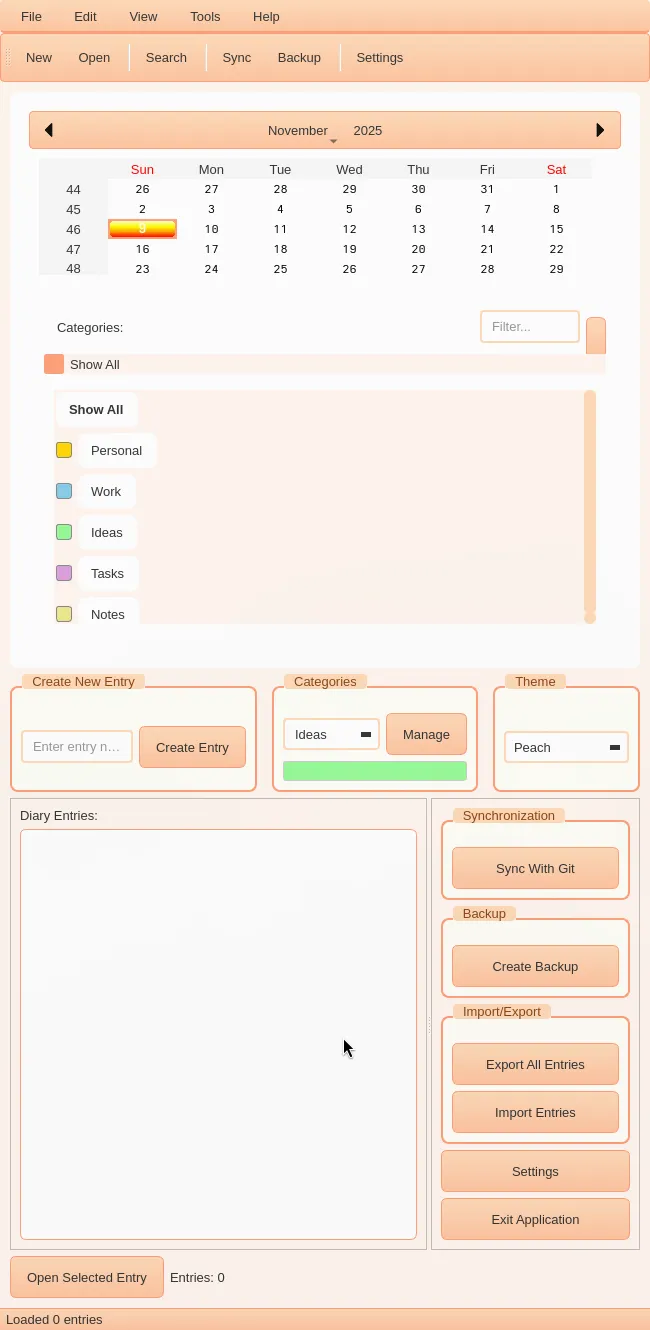
The main interface includes:
- Calendar for quick date navigation with highlighted entry dates
- Custom category tags for organization
- Entry list for viewing saved entries
- Quick actions for sync, backup, export, and settings
Settings and Customization
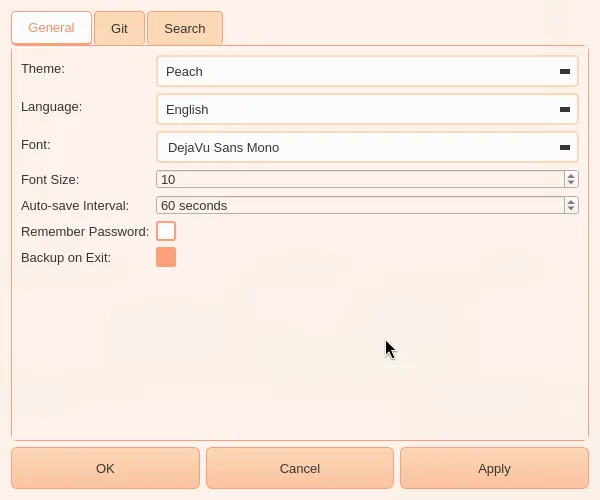
Personalize your experience with themes, backup schedules, and security settings.
The MMM Editor
MMM (Magic Memory Mark-2) provides the rich text editing experience for creating journal entries. It’s not just a text editor—it’s a multimedia journaling powerhouse.
Home Features
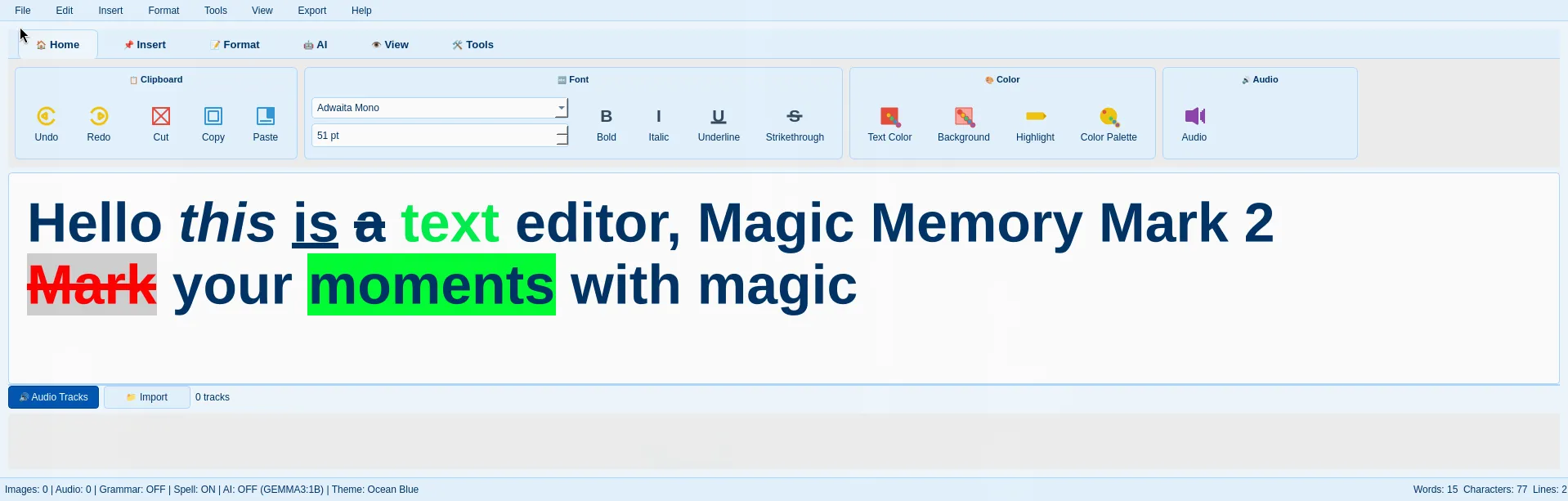
The MMM interface offers a ribbon-style toolbar for intuitive access to all features.
Image Editing
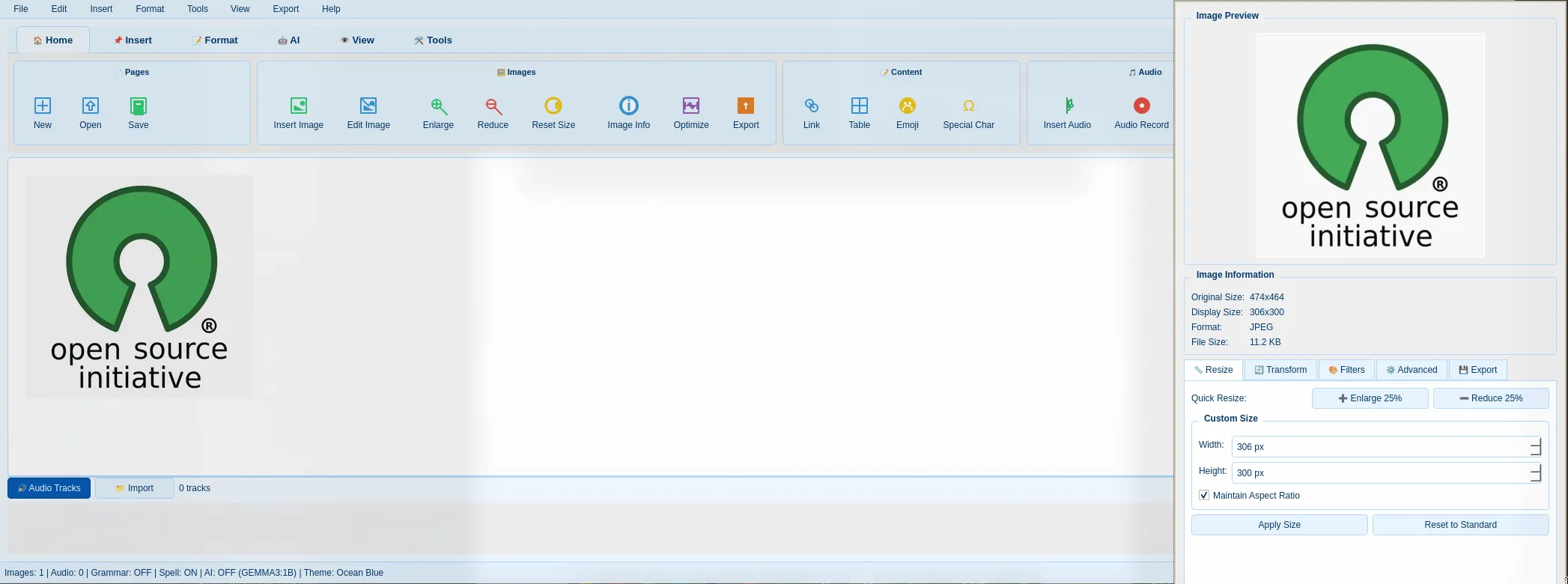
Add images to your entries with built-in editing capabilities:
- Resize images
- Apply filters
- Add annotations
- Optimize for storage
Audio Recording
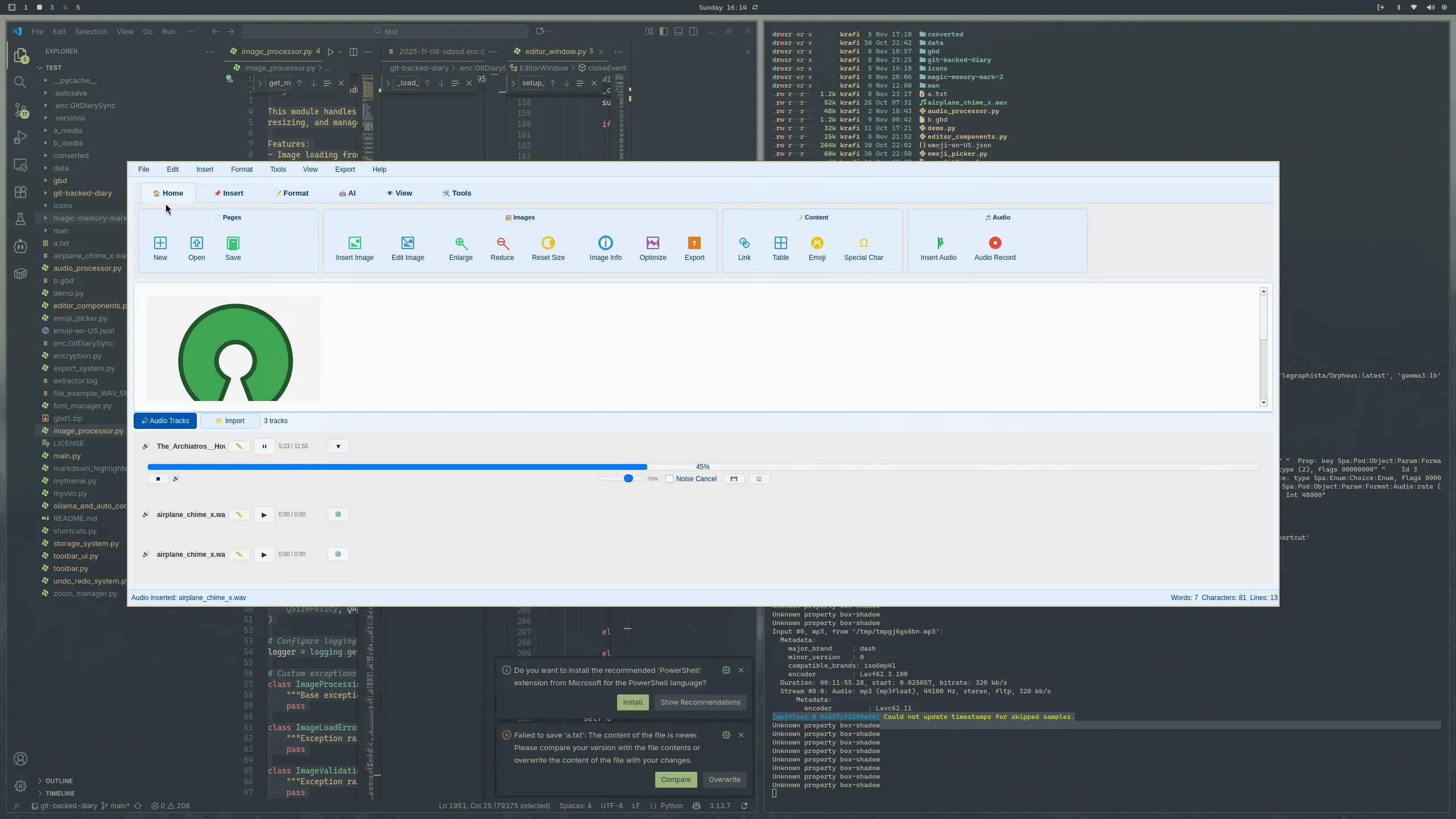
Record voice memos directly in your entries:
- Secure audio recording stored in RAM buffer initially
- Saved as encrypted MP3 files at high quality (320 kbps, stereo, 44.1 kHz)
- Perfect for voice diaries and audio annotations
- Import existing MP3, WAV, and FLAC files
Emoji Support
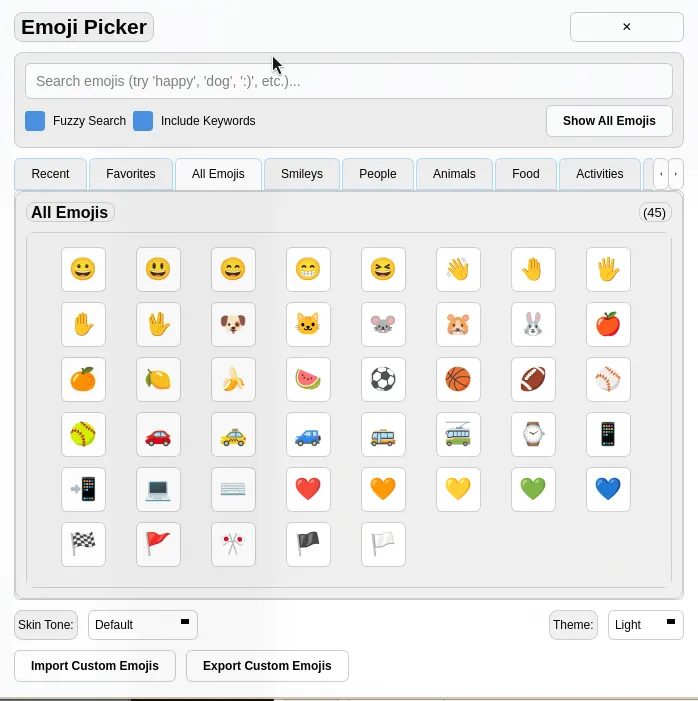
Add expressive emojis to your entries for richer emotional expression.
Text Formatting
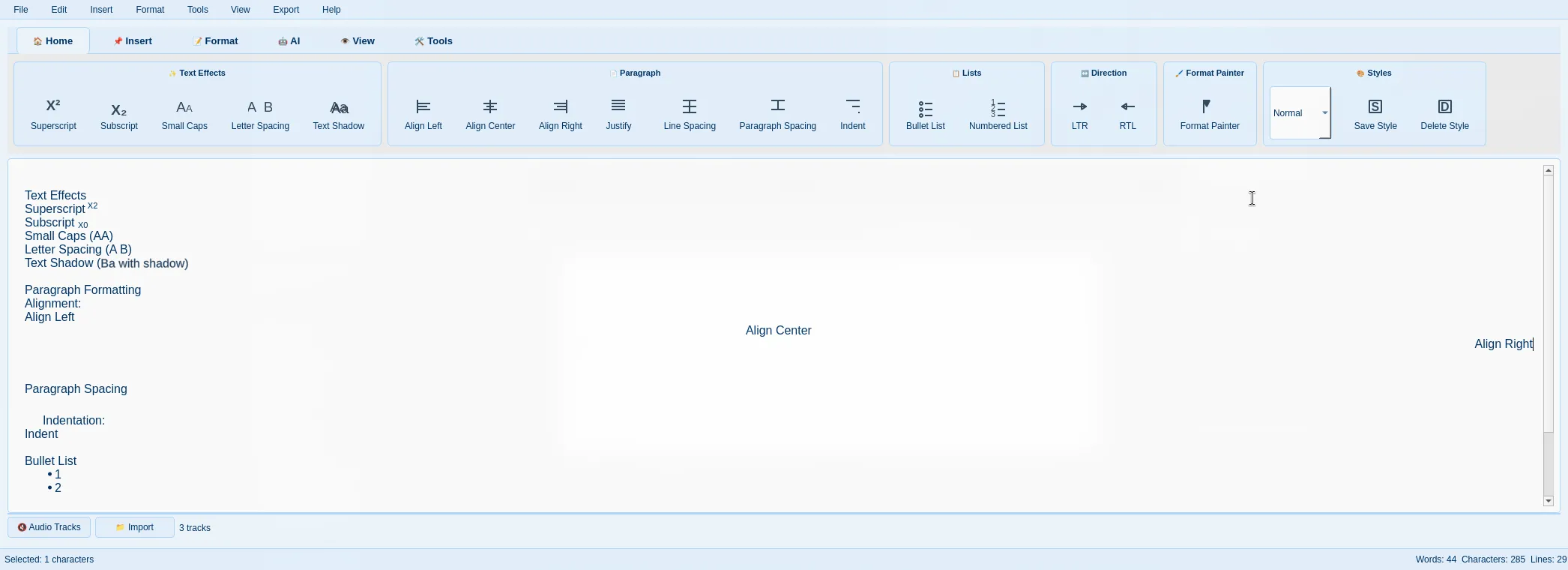
Comprehensive text formatting options including:
- Bold, italic, underline
- Font styles and sizes
- Lists and numbering
- And more
Grammar Checking
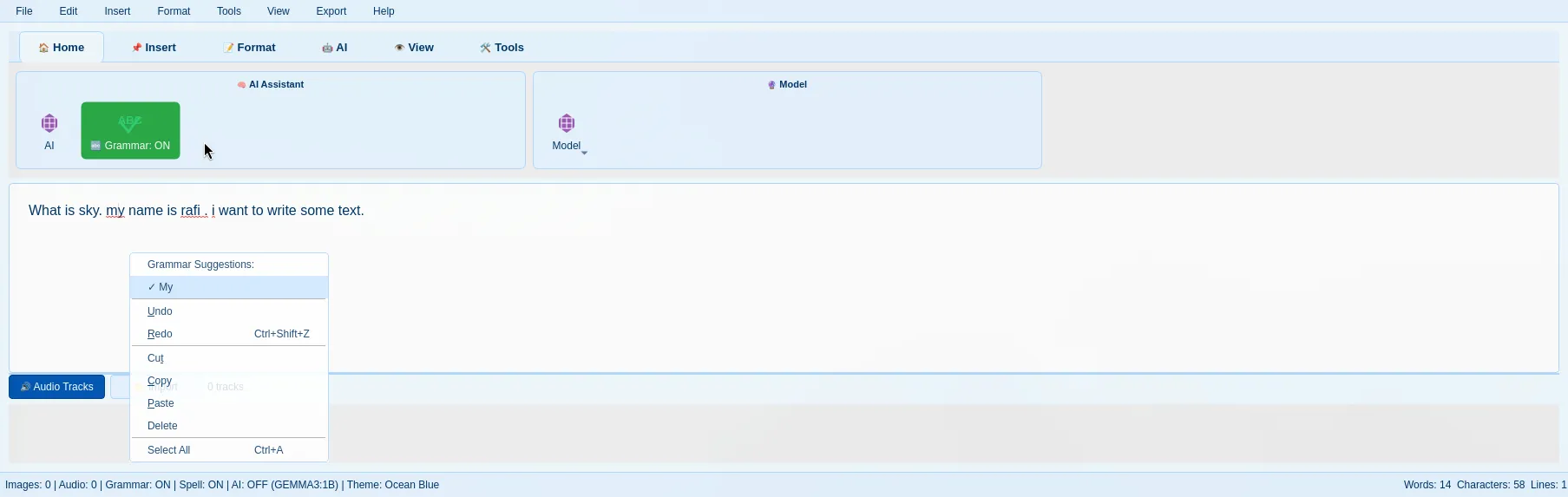
AI-powered grammar checking with:
- Error underlining
- Suggestion popups
- Style improvements
AI Assistance
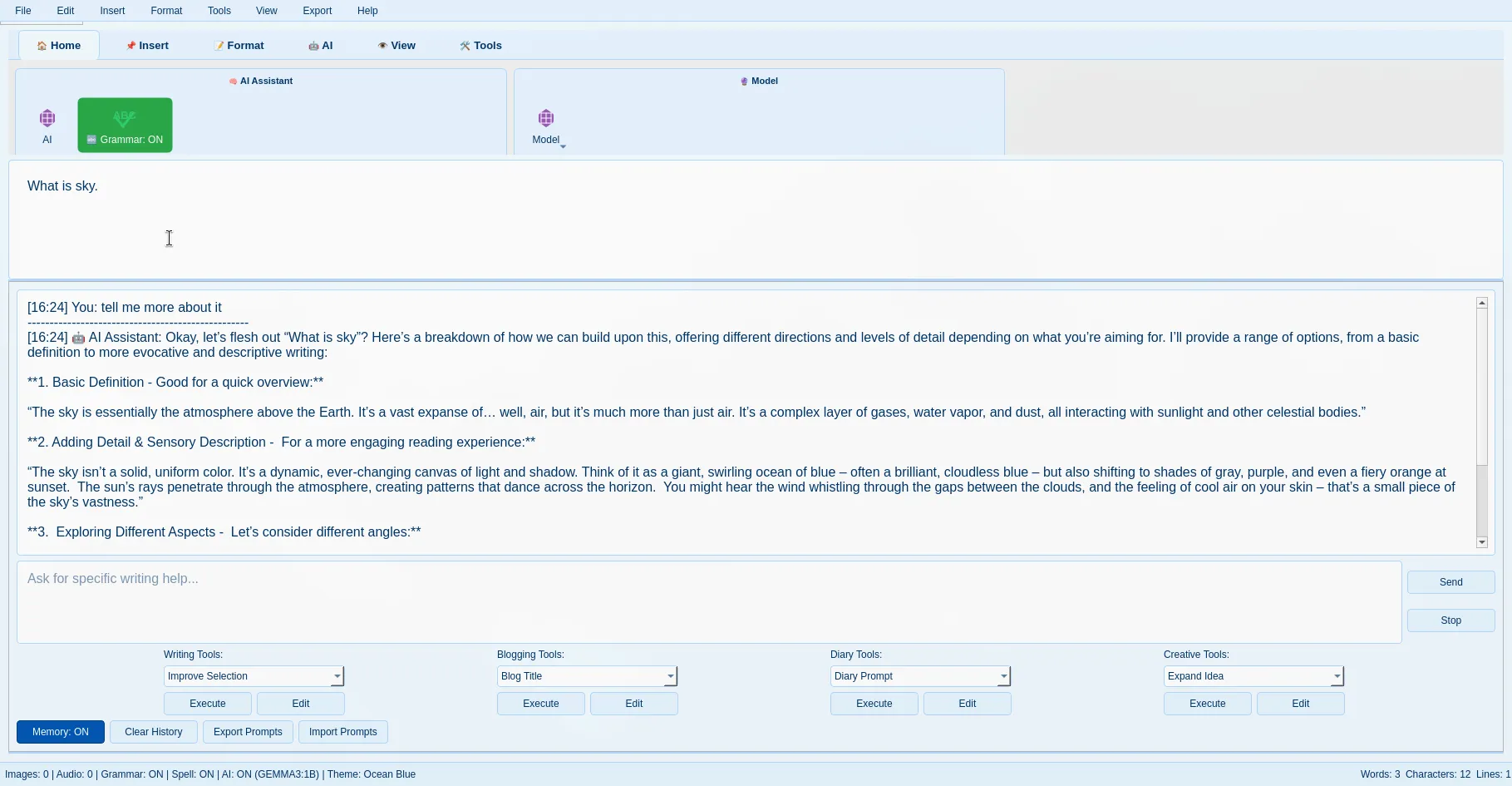
Get intelligent writing assistance:
- Text analysis
- Summarization
- Writing suggestions
- All powered by local Ollama models
Markdown Support
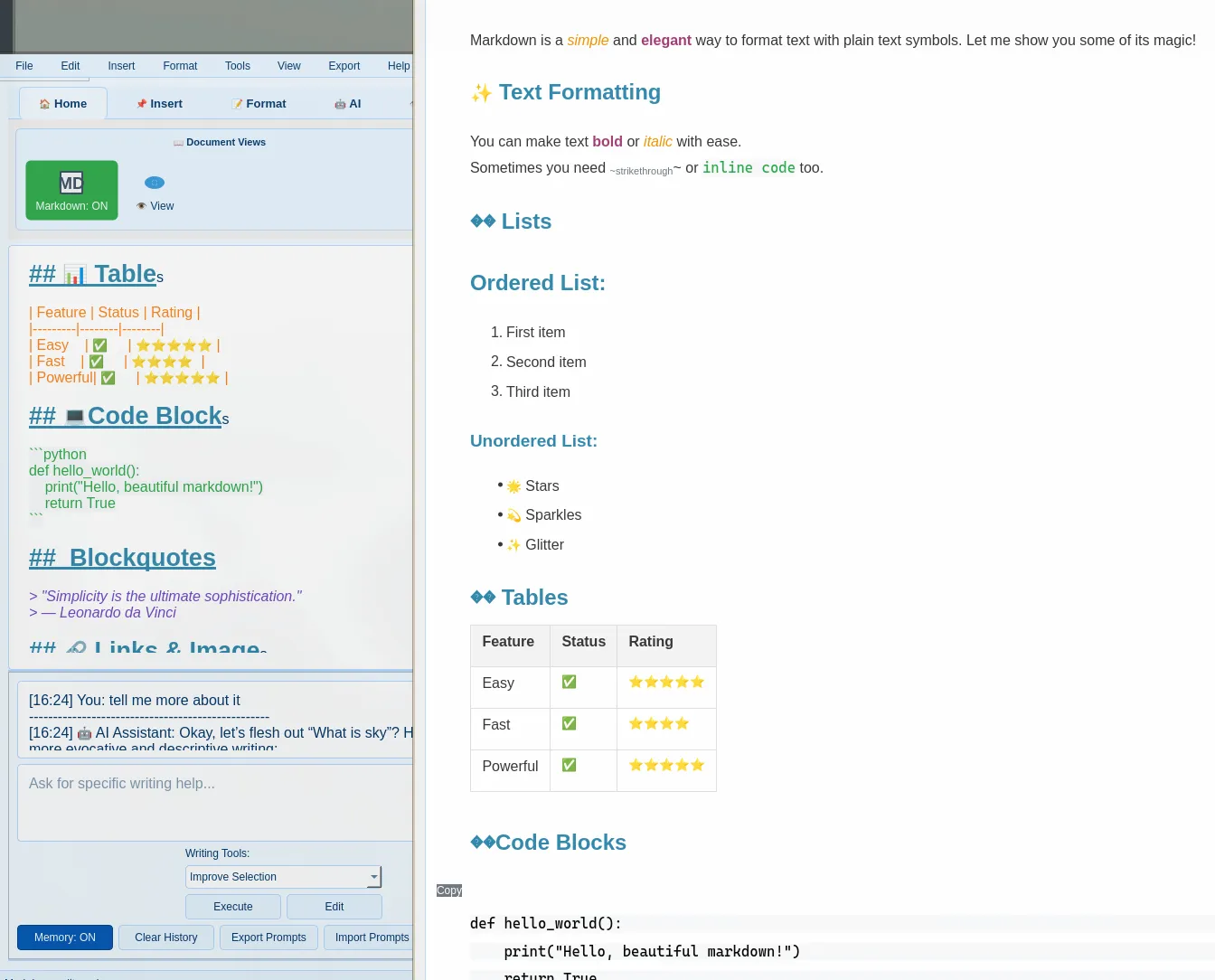
Full markdown support with toggle between code and rendered views—perfect for technical notes and formatted documents.
Time Travel
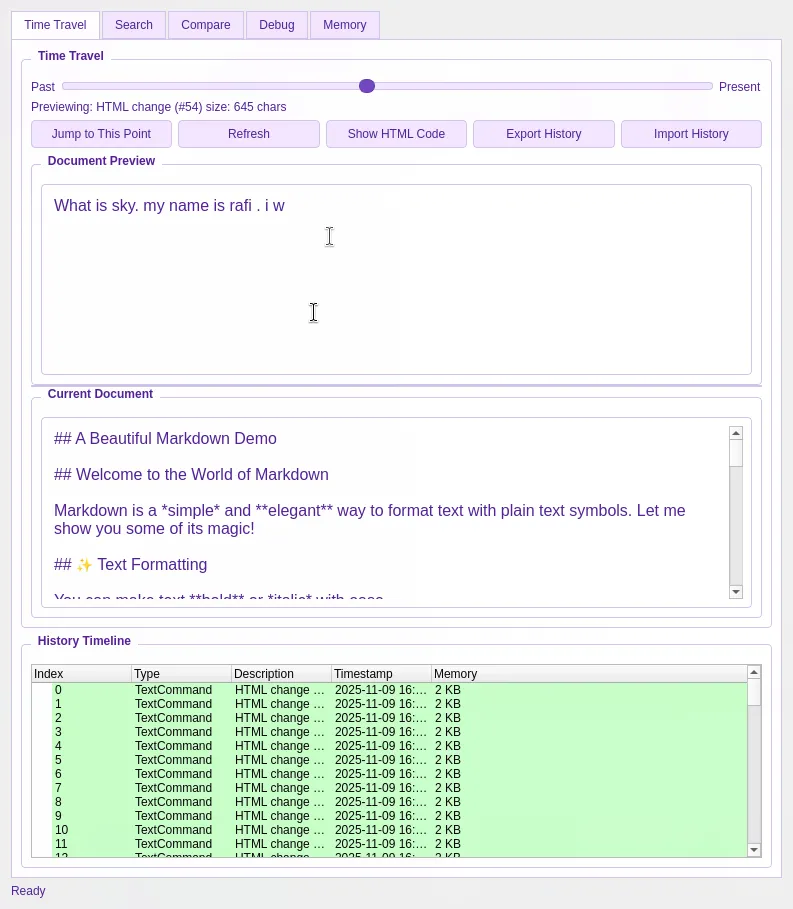
The unique Time Travel feature lets you navigate your document history with a visual timeline. Go back to any point in your entry’s history and restore previous versions.
Comparing Versions
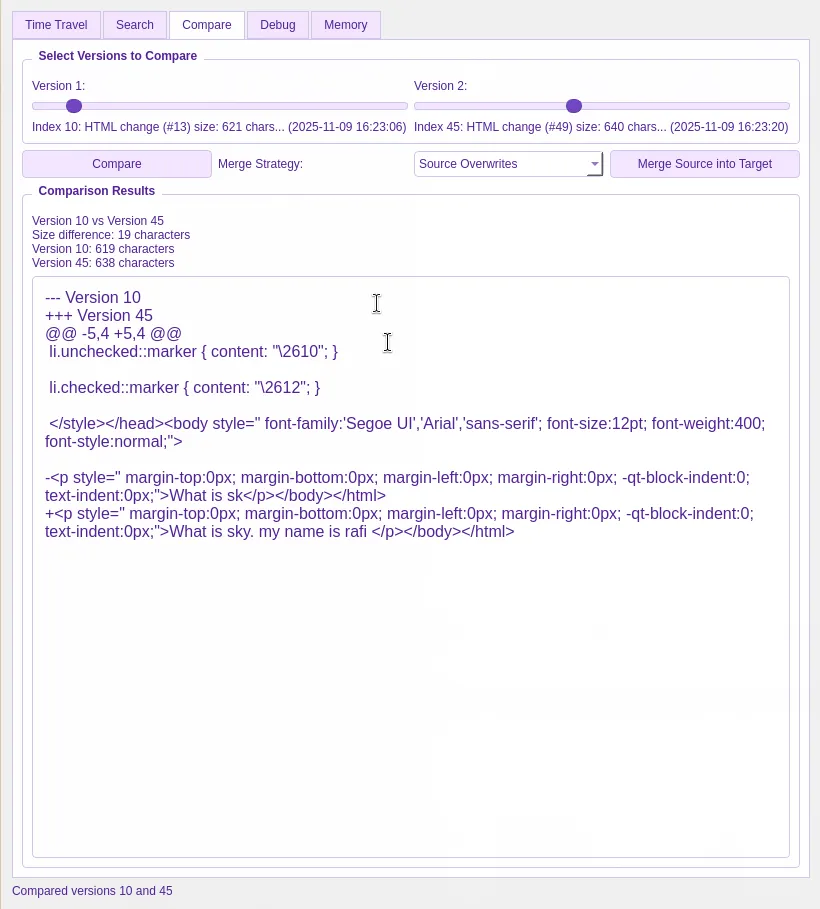
Compare your entry at different points in time to see how your thoughts have evolved.
JSON Structure
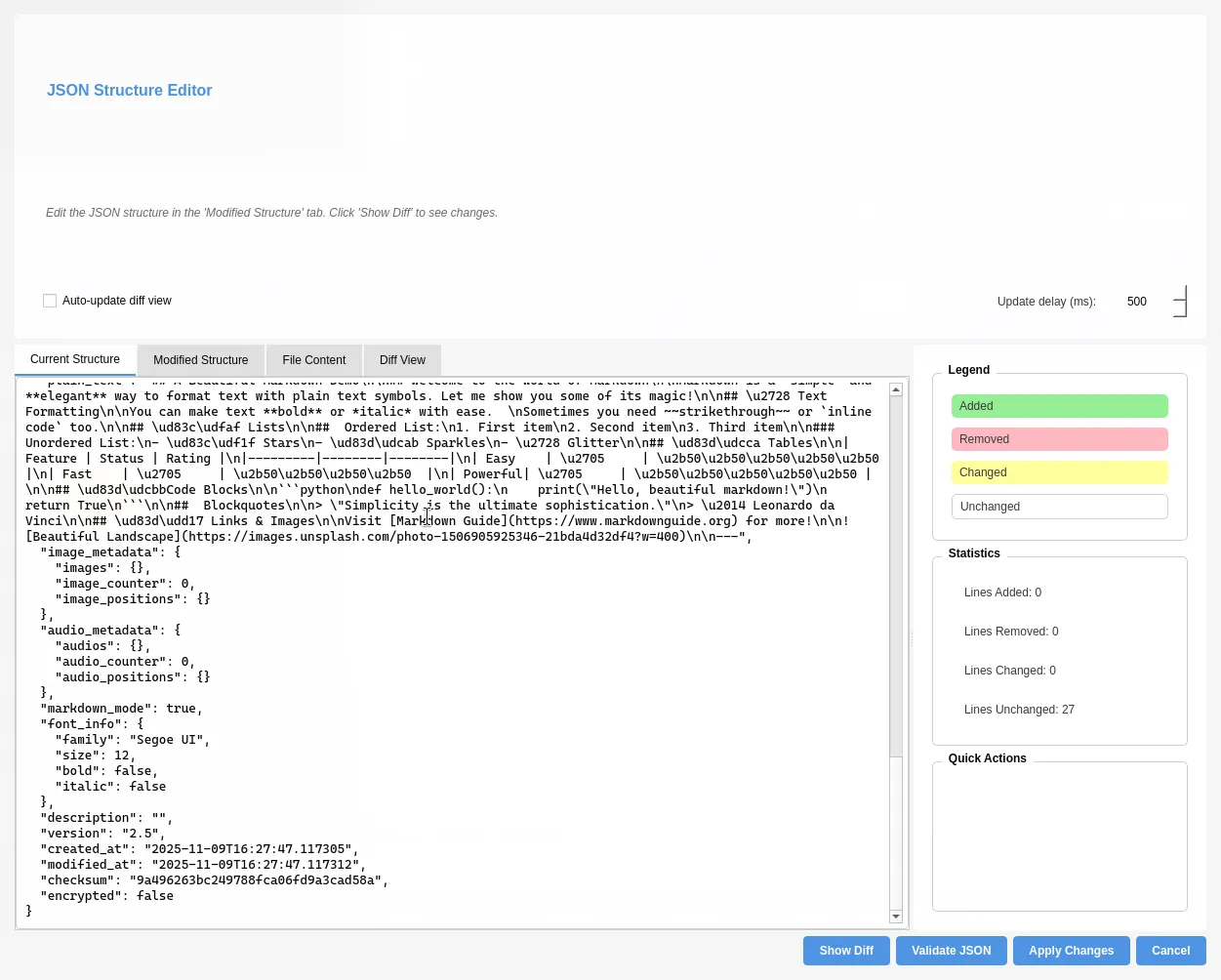
One of the most unique aspects of MemoirCapsule is the transparency of its file format. You can view and edit the underlying JSON structure of your entries directly within MMM, giving you unparalleled control over your data. This means you’re never locked in—you can always access and export your data in a readable, portable format.
Theme Support
MemoirCapsule and MMM both support beautiful themes to personalize your journaling experience. Whether you prefer light mode for daytime writing or dark mode for nighttime reflections, the choice is yours.
Find and Replace
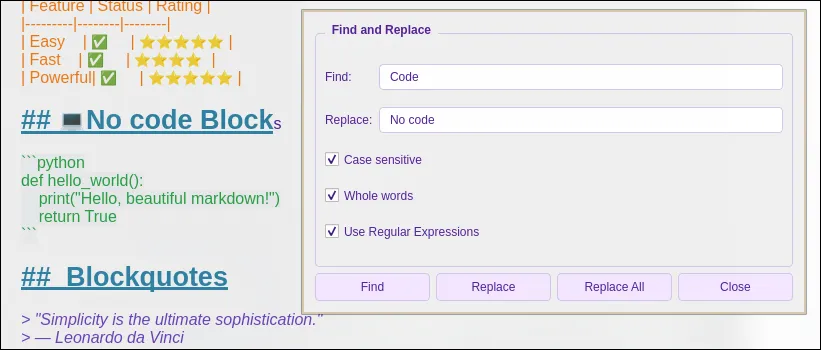
Need to make bulk changes across your entries? The Find and Replace tool has you covered. Search for specific words or phrases across your entire journal and replace them in one go—perfect for correcting typos or updating terminology throughout your entries.
File Format and Structure
The suite uses .gbd (MemoirCapsule data) files stored in a clear, human-readable JSON structure. The file organization follows a date-based hierarchy:
year/month/day/filename.gbd
This transparency ensures you can access and manipulate your data directly.
JSON Structure Contents
Each .gbd file contains:
- html_content: The actual document content with formatting
- plain_text: A simple text-only version for crash handling
- image_metadata: Paths to images with automatic copying to working folder
- audio_metadata: Paths to audio files with automatic copying
- font_info: Text appearance details
- description: Document summary
- version: Application version that created the file
- created_at: Creation timestamp
- modified_at: Last modification timestamp
- checksum: Verification fingerprint
Getting Started
Installation
# Clone the repositories
git clone https://gitlab.com/krafi/memoircapsule.git
git clone https://gitlab.com/krafi/magic-memory-mark-2.git

# Install dependencies following the build instructions in each project's README

# Launch MemoirCapsule to begin journaling
First Entry
- Launch MemoirCapsule
- Create or open your journal vault
- Select a date from the calendar
- Click to create a new entry
- Start writing with MMM editor
Why Choose MemoirCapsule?
| Feature | Benefit |
|---|---|
| Self-hosted | Complete data ownership |
| Open source | Transparency and trust |
| Local encryption | Maximum privacy |
| Git sync | Cross-device journaling |
| Time Travel | Never lose your work |
| AI assistance | Smart writing help |
Conclusion
MemoirCapsule and MMM represent a comprehensive solution for privacy-conscious individuals seeking complete control over their digital journaling. By combining military-grade encryption, local AI assistance, and the unique Time Travel feature, it transforms journaling into a secure, powerful experience.
Whether you’re concerned about data privacy, want to keep your memories truly yours, or need advanced features like version history and multimedia support, MemoirCapsule delivers.
Source Code
View and contribute to the project:
Start your private journaling journey today!







Discussion
0 commentsJoin the Discussion
Sign in to post comments and join the conversation.
No comments yet. Be the first to share your thoughts!